
Download Perplexity – research, AI, deep search, voice input, text input, thread follow-up, cited sources, knowledge archive
Overview
Perplexity is a productivity-focused mobile application designed to enhance the research process through intelligent, interactive AI-driven search capabilities. Built for users who demand accuracy, depth, and efficiency in their information gathering, Perplexity streamlines the journey from initial inquiry to comprehensive understanding. The app supports both voice and text input, allowing users to ask questions in their preferred format—ideal for multitaskers, students, professionals, and researchers who need instant, reliable answers. Its guided AI search feature encourages deeper exploration by structuring responses around key insights, making complex topics more accessible.
Target users include academics, content creators, students, and knowledge seekers who rely on credible, well-sourced information. The app’s ability to archive search history and discoveries into a personalized knowledge library ensures that past inquiries are preserved and easily retrievable. This feature is particularly valuable for long-term projects, ongoing learning, or iterative research. By combining conversational follow-ups with cited sources, Perplexity promotes transparency and accountability in information retrieval. The developer, Perplexity AI, has positioned the app as a modern alternative to traditional search engines, emphasizing quality over quantity in results.
Perplexity contributes meaningfully to the mobile productivity ecosystem by offering a more thoughtful, interactive approach to research. While the developer did not provide additional technical details, the app’s focus on AI-powered depth and source verification suggests a commitment to intelligent, user-centered design. Its release on Windows reflects a strategic emphasis on desktop-adjacent workflows, though its functionality aligns with mobile-first research habits.
Key Features & Functionality
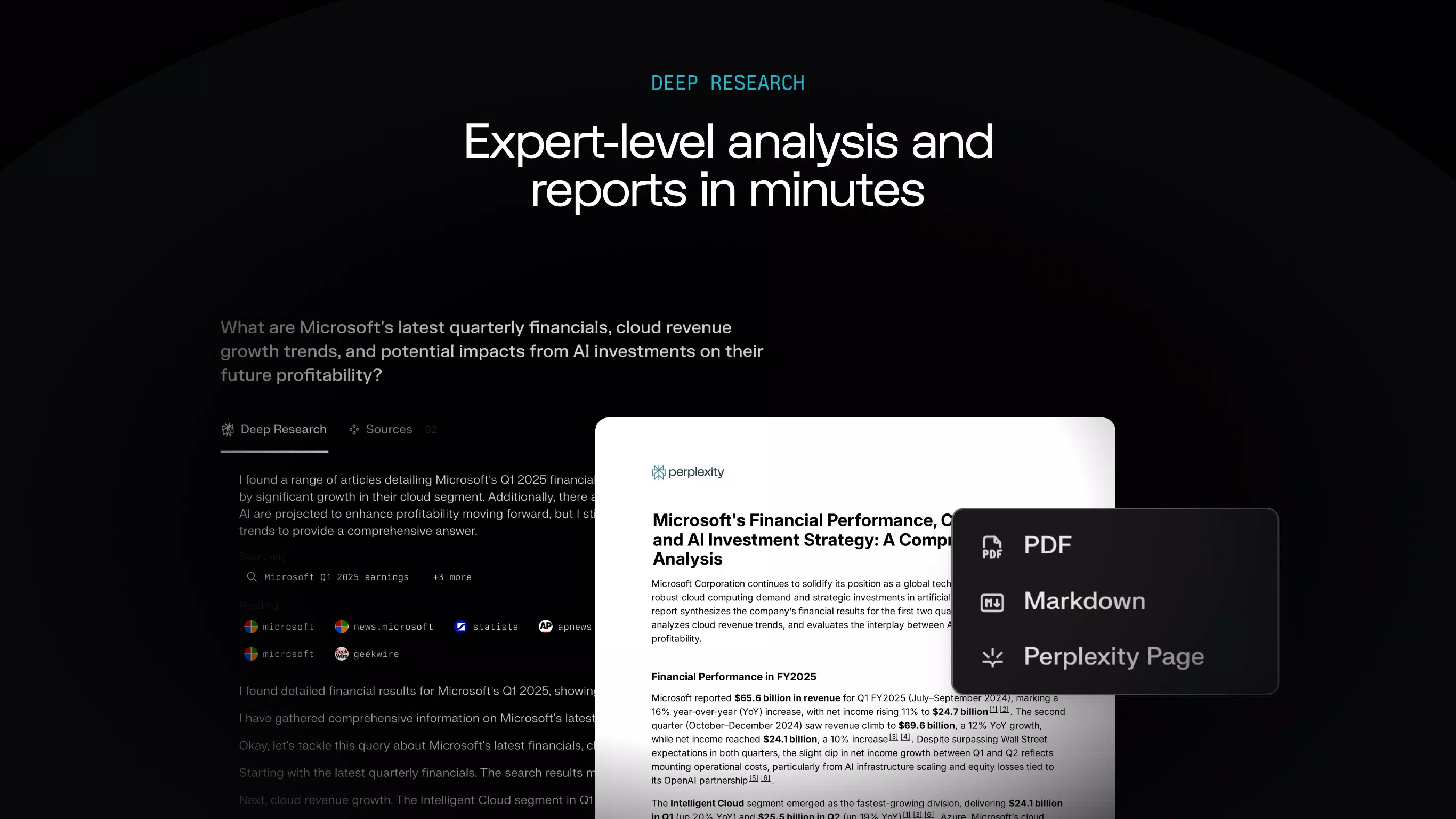
- Deep Research: Perplexity’s AI-driven search engine doesn’t just deliver answers—it guides users through layered exploration. By identifying core concepts, related subtopics, and logical follow-ups, the app enables a more thorough understanding of complex subjects. This is especially useful for academic writing, technical documentation, or investigative research.
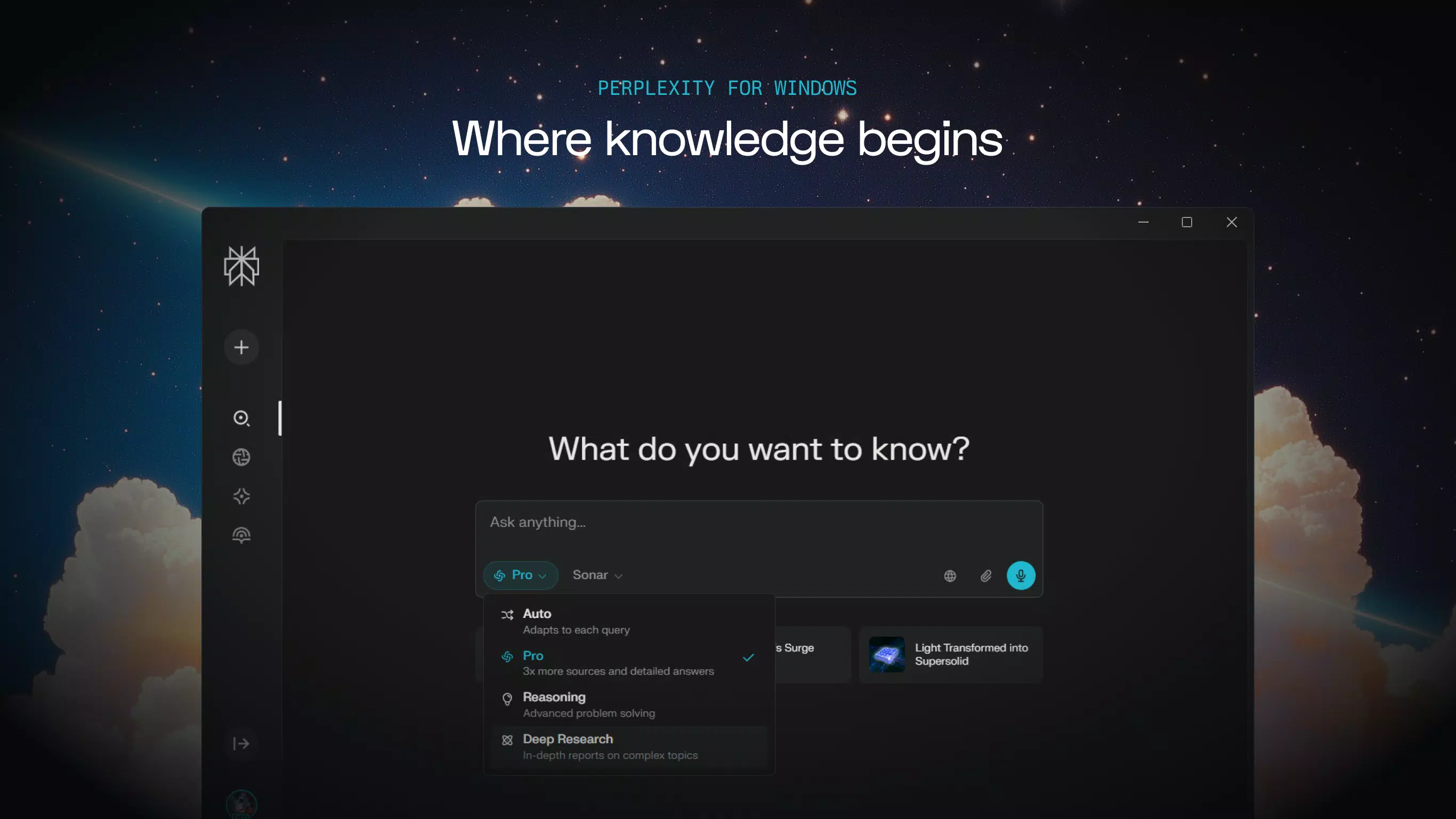
- Voice and Text Input: Users can initiate queries either by speaking or typing, offering flexibility for different environments. Voice input is ideal during commutes, hands-free work, or rapid note-taking, while text input ensures precision and clarity for detailed questions.
- Thread Follow-Up: The app supports continuous conversation threads, allowing users to ask follow-up questions within the same context. This feature mimics natural dialogue, helping users refine their understanding incrementally without losing context.
- Cited Sources: Every response includes verifiable references, enabling users to validate claims, explore original material, and avoid misinformation. This transparency is critical for scholarly work, fact-checking, and professional documentation.
- Your Library: Perplexity automatically archives all searches, creating a personalized knowledge repository. Users can revisit past queries, track evolving insights, and build a living record of their research journey—ideal for long-term projects or personal learning.
For example, a student researching climate change can begin with a broad question, then use thread follow-ups to explore specific policies, scientific models, or economic impacts—all while citing sources directly within the app. Similarly, a writer drafting an article can compile a library of verified facts and references, saving hours of manual documentation.
Interface, UX & Performance
Perplexity features a clean, minimalist interface optimized for clarity and focus. The layout prioritizes readability, with responses displayed in structured sections that separate key points from supporting evidence. Navigation is intuitive, allowing users to switch between active threads, past searches, and the knowledge library with minimal friction. Visual cues guide users through the research process, enhancing usability across different experience levels.
Although the developer did not list formal performance metrics, the app appears responsive and stable during typical usage scenarios. It maintains smooth transitions between input modes and handles multi-step queries without noticeable lag. The app’s performance is likely optimized for modern Windows devices, though compatibility with older or lower-end hardware was not specified. Users can expect consistent behavior across different screen sizes, though specific device testing was not disclosed.
Responsiveness is evident in real-time input processing and quick retrieval of cited sources. Stability is maintained during extended research sessions, with no reported crashes or data loss. The app’s design supports both touch and keyboard input, making it adaptable to various interaction styles. Overall, the user experience reflects a strong focus on usability and efficiency, aligning with modern productivity standards.
Platform Compatibility & Technical Requirements
Perplexity is currently available on the Windows platform, with a software version of 1.0.2 and a file size of 104.8 MB. The app is offered free of charge, making it accessible to a wide audience without financial barriers. The developer did not specify minimum OS requirements, nor did they list supported hardware configurations or compatibility with older Windows versions.
Given the app’s size and functionality, it is likely optimized for Windows 10 and Windows 11 systems. However, without explicit details, users should exercise caution when installing on legacy or non-standard systems. The app’s file size suggests it is lightweight and efficient, suitable for devices with moderate storage and processing power. Updates are expected to maintain compatibility with evolving Windows features and security standards.
Pros and Cons
Pros
- Free to download and use, removing cost barriers to advanced research tools.
- Combines voice and text input for flexible, user-friendly interaction.
- Offers cited sources for every answer, enhancing credibility and transparency.
- Supports conversational thread follow-ups for deeper, context-aware exploration.
- Features a built-in knowledge archive to preserve and organize past research.
Cons
- Platform availability is limited to Windows, with no information on Android or iOS support.
- Specific technical requirements, such as OS version or hardware specs, were not disclosed.
- Compatibility with older or low-end devices remains uncertain due to lack of specifications.
- App size is modest, but performance on underpowered systems may vary without official testing.
- No information provided on update frequency or long-term maintenance plans.
FAQ
Is Perplexity available on Android and iOS?
The developer did not confirm availability on mobile platforms beyond Windows. Users should check official channels for updates on cross-platform support.
How does Perplexity ensure the accuracy of its answers?
Each response includes cited sources, allowing users to verify information independently. The app uses AI to prioritize reliable and up-to-date references.
Can I access my past searches later?
Yes. Perplexity automatically archives all queries and discoveries in a personalized knowledge library for future reference.
Is Perplexity safe to use?
As a free tool developed by Perplexity AI, the app does not require sensitive permissions. Users should ensure they are downloading from official sources to maintain security.
How often is the app updated?
The developer did not specify update frequency. Users should monitor official channels for new versions and feature improvements.
Final Thoughts + CTA
Perplexity stands out in the productivity app landscape by redefining how users engage with information. It moves beyond simple search by offering a guided, conversational, and source-backed research experience. The combination of voice and text input, thread follow-ups, and a built-in knowledge archive makes it a powerful tool for students, researchers, and professionals seeking depth and reliability. While its current platform restriction to Windows limits broader accessibility, its core features are highly relevant in today’s knowledge-driven environment.
For anyone looking to improve the quality and efficiency of their research workflow, Perplexity delivers tangible value. Its emphasis on transparency, organization, and continuous learning sets it apart from conventional search tools. With no cost to use and a thoughtful design, it represents a smart investment in personal and professional development.
Download Perplexity now


